Minecraft: Java Edition 26.2
- Sulfur Cube Archetype Registry
- Commands
- Added unpublish
- Attributes
- Added minecraft:bounciness
- Added minecraft:friction_modifier
- Added minecraft:air_drag_modifier
- Added minecraft:name_tag_distance
- Added minecraft:below_name_distance
- Changes to minecraft:knockback_resistance
- Data Components
- Added minecraft:sulfur_cube_content
- Entity Data
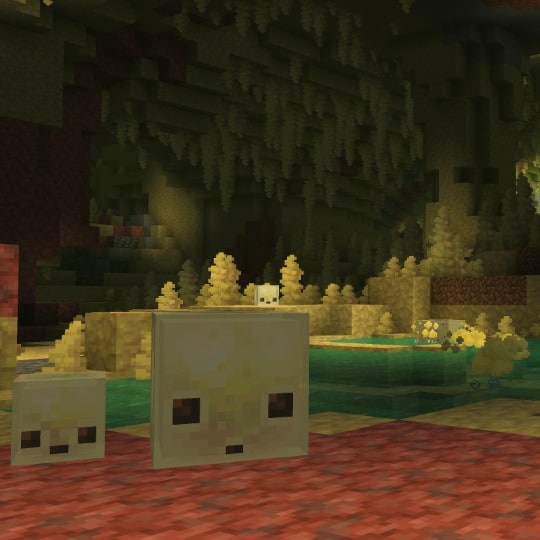
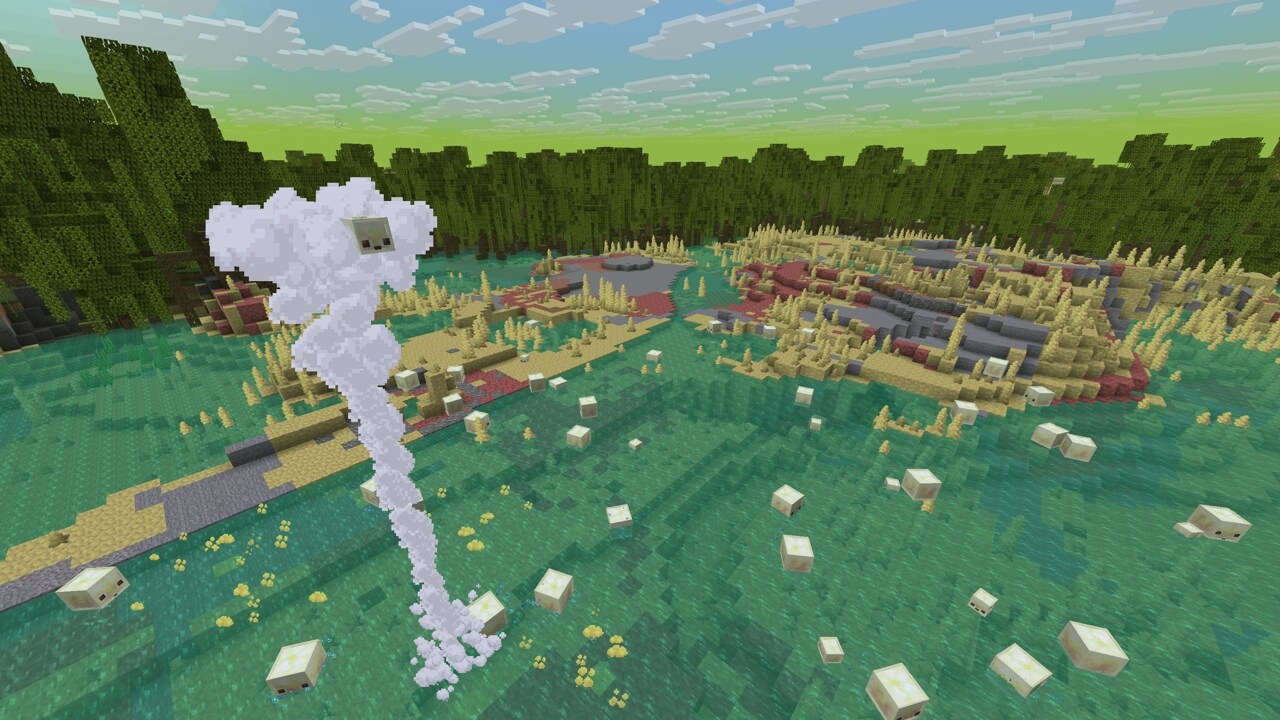
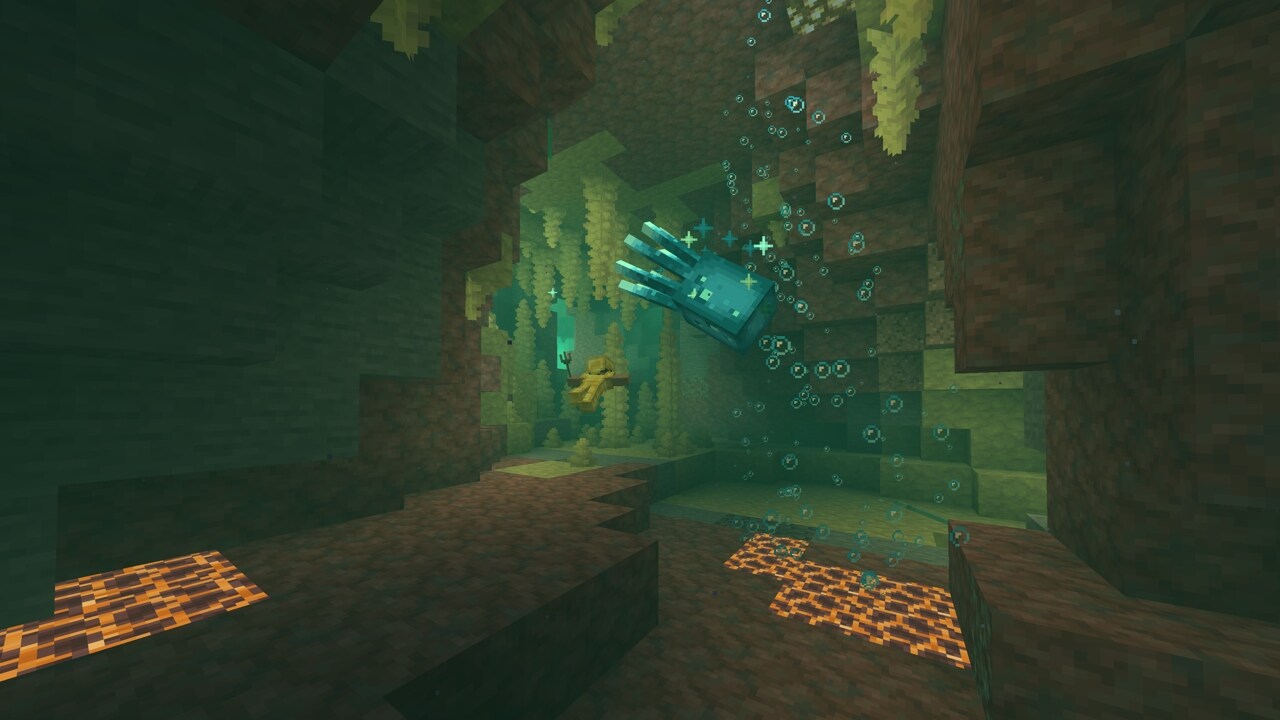
Chaos Cubed has landed in Minecraft Java Edition! Explore a striking cave biome filled with bubbling sulfur pools, build with sulfur and cinnabar, and discover the sulfur cube's curious appetite for blocks! From bouncing and sliding to explosive surprises, this unpredictable mob unlocks exciting new ways to build, compete, and survive. Play Chaos Cubed today in Minecraft!
Happy mining!
New Features#
- Added the Sulfur Cube mob
- Added the Sulfur Caves biome
- Added the Cinnabar and Sulfur block sets
- Added the Sulfur Spike and Potent Sulfur block
- Added a new Music Disc with the track "Bounce" by fingerspit
- Added 5 new music tracks by fingerspit
- Added the Friends List
- Added new settings for Friends List in Online Options
- Added experimental support for rendering the game through Vulkan
- Added new option "Graphics API" in Video Settings
- Added Swiss French, Chuvash, Gallo, Uzbek, and Võro language support to the game
Sulfur Cube#
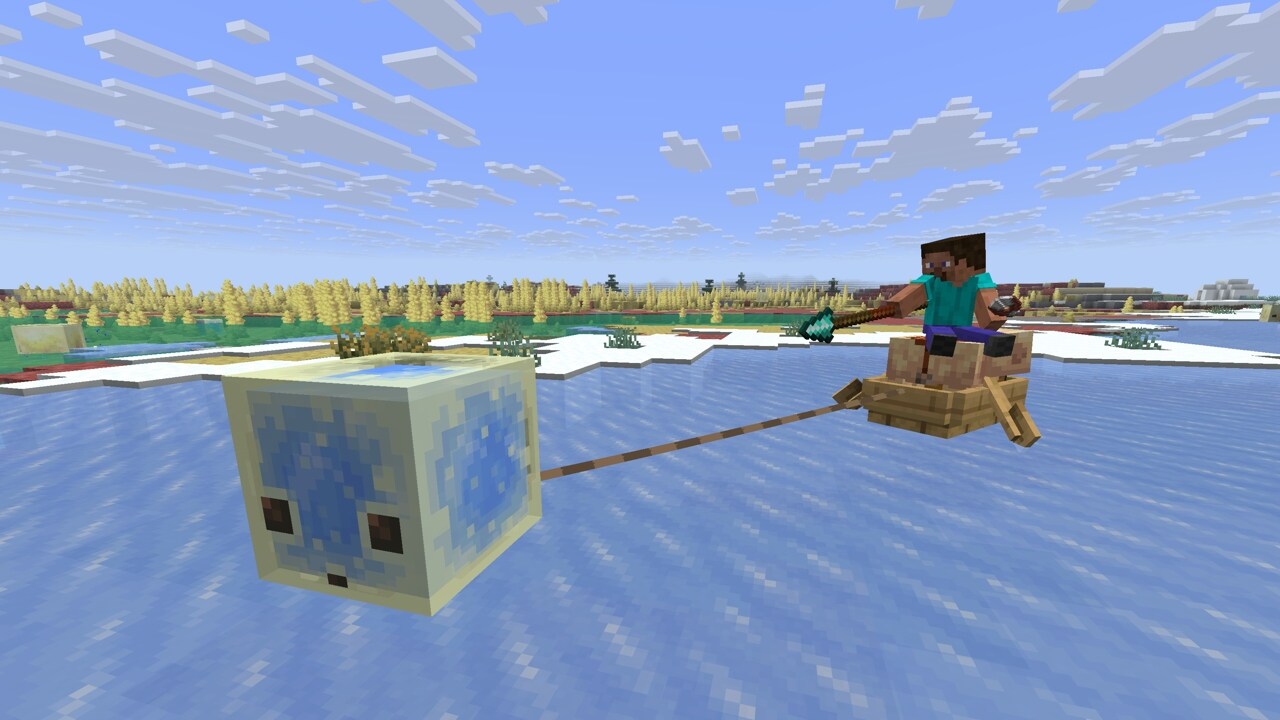
- Added the Sulfur Cube mob
- Spawns in the new Sulfur Caves biome
- When a Player interacts with it while holding a block:
- The Sulfur Cube absorbs the block
- Its AI is disabled
- While a block is absorbed:
- The Sulfur Cube becomes a physical object:
- It does not take fall or Player damage
- Players can punch and push it
- It assumes one of the archetypes (listed below), changing its physical properties to match the absorbed block
- The Player can interact with it using Shears:
- This removes the absorbed block
- The Sulfur Cube's AI is re-enabled
- The Sulfur Cube becomes a physical object:
- The Sulfur Cube will follow a Player holding a block it can absorb
- The Sulfur Cube can look for nearby block items and move towards them to absorb them
- When killed, the Sulfur Cube splits into two smaller Sulfur Cubes
- Small Sulfur Cubes can be fed Slime Balls to grow into large Sulfur Cubes
- A large Sulfur Cube can be picked up using an empty Bucket
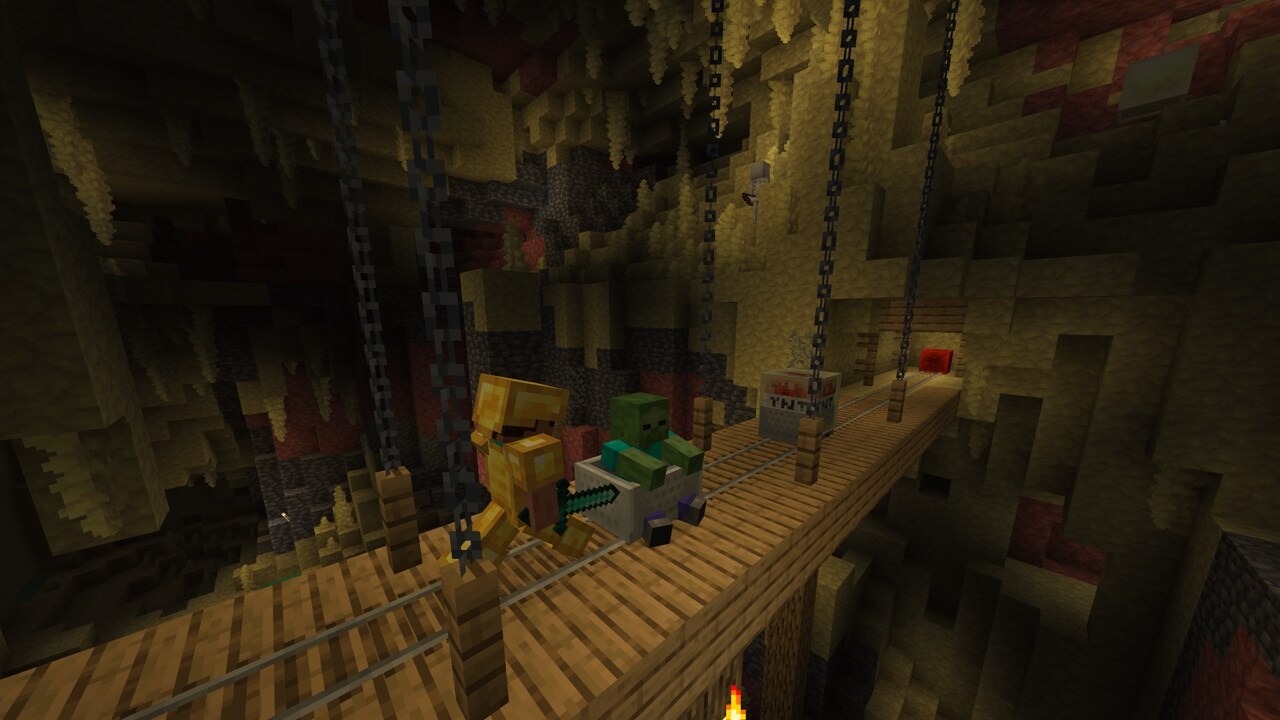
- Sulfur Cubes cannot enter Boats, but can ride Minecarts
- Dispensers can:
- Insert and swap blocks inside a Sulfur Cube
- Use Shears to remove the held block
- Spawn a Sulfur Cube from a Bucket of Sulfur Cube
- Pufferfish are not scared by Sulfur Cubes
Sulfur Cube Archetypes#
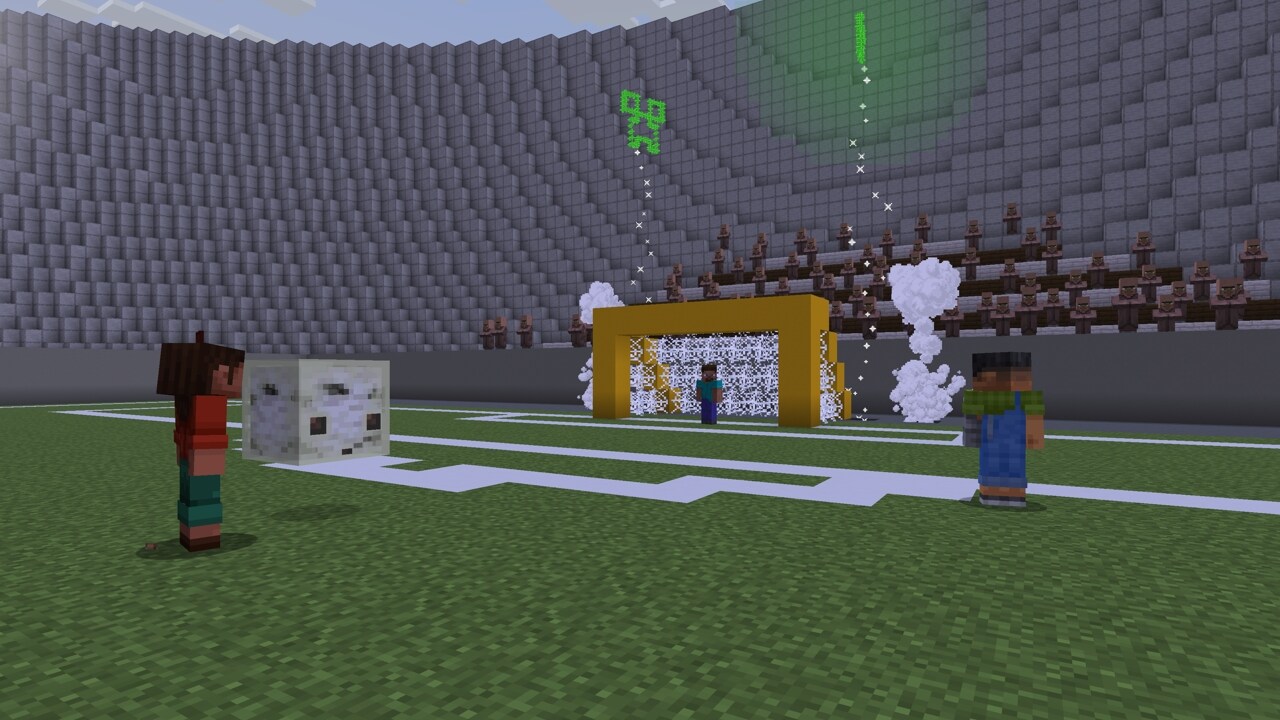
- Each archetype is characterized by the speed of the Sulfur Cube when hit, how bouncy it is when colliding with blocks and collidable entities, as well as its ground friction, air drag, and if it floats in liquids
- There are the following archetypes:
- Regular: medium speed, medium bounciness, medium ground friction, and low air drag
- It is buoyant
- Used when absorbing loose mineral and soil blocks
- Bouncy: fast speed, high bounciness, medium ground friction, and low air drag
- It is buoyant
- Used when absorbing wooden blocks
- Slow Bouncy: slow speed, high bounciness, medium friction, and medium air drag
- Used when absorbing stone-like blocks
- Slow Flat: slow speed, low bounciness, medium ground friction, and medium air drag
- Used when absorbing metal blocks
- Fast Flat: fast speed, low bounciness, medium ground friction, and low air drag
- Used when absorbing organic blocks
- Light: slow speed, high bounciness, medium ground friction, and high air drag
- It is buoyant
- Used when absorbing wool blocks
- Fast Sliding: fast speed, no bounciness, low ground friction, and low air drag
- Used when absorbing icy blocks
- Slow Sliding: slow speed, no bounciness, low ground friction, and low air drag
- Used when absorbing shroom blocks
- Regular: medium speed, medium bounciness, medium ground friction, and low air drag
- There are also the following special archetypes:
- High Resistance: very slow, low drag with low bounce with high friction
- Used when absorbing Soul Sand and Soul Soil
- Sticky: same properties as the Fast Flat archetype, but sticks with extremely high ground friction and no bounce to simulate stickiness
- Used when absorbing a Honeycomb Block
- Explosive: similar properties to the Regular archetype with a slightly higher air drag
- Used when absorbing a TNT block
- Absorbed TNT can be primed by Redstone, fire sources (including a Dispenser with a Flint and Steel), or nearby explosions
- When primed by fire or Redstone, absorbed TNT uses a fuse time of 6 seconds
- When primed by an explosion, absorbed TNT uses a randomized fuse time between 0.75 and 3 seconds
- Sulfur Cubes with an absorbed, primed TNT block cannot be picked up with a Bucket
- Absorbed, primed TNT blocks cannot be sheared out
- On explosion, no small Sulfur Cubes are spawned
- Hot: same properties as the Regular archetype, but damages entities on contact
- Used when absorbing a Magma Block
- High Resistance: very slow, low drag with low bounce with high friction
Sulfur Caves Biome#
- Added Sulfur Caves biome
- Generates naturally underground
- The Sulfur Caves biome has bands of Sulfur and Cinnabar
- Spawns the new Sulfur Cube mob as well as Cave Spiders
- Generates with Sulfur Pools which contain Potent Sulfur
Sulfur Spring#
- Is a new feature which generates naturally above the Sulfur Caves biome
- Consists of Sulfur, Potent Sulfur, and Magma Blocks
- Sulfur Springs come in 4 different size variants:
- Small
- Medium
- Large
- Extra Large
Cinnabar and Sulfur Block Sets#
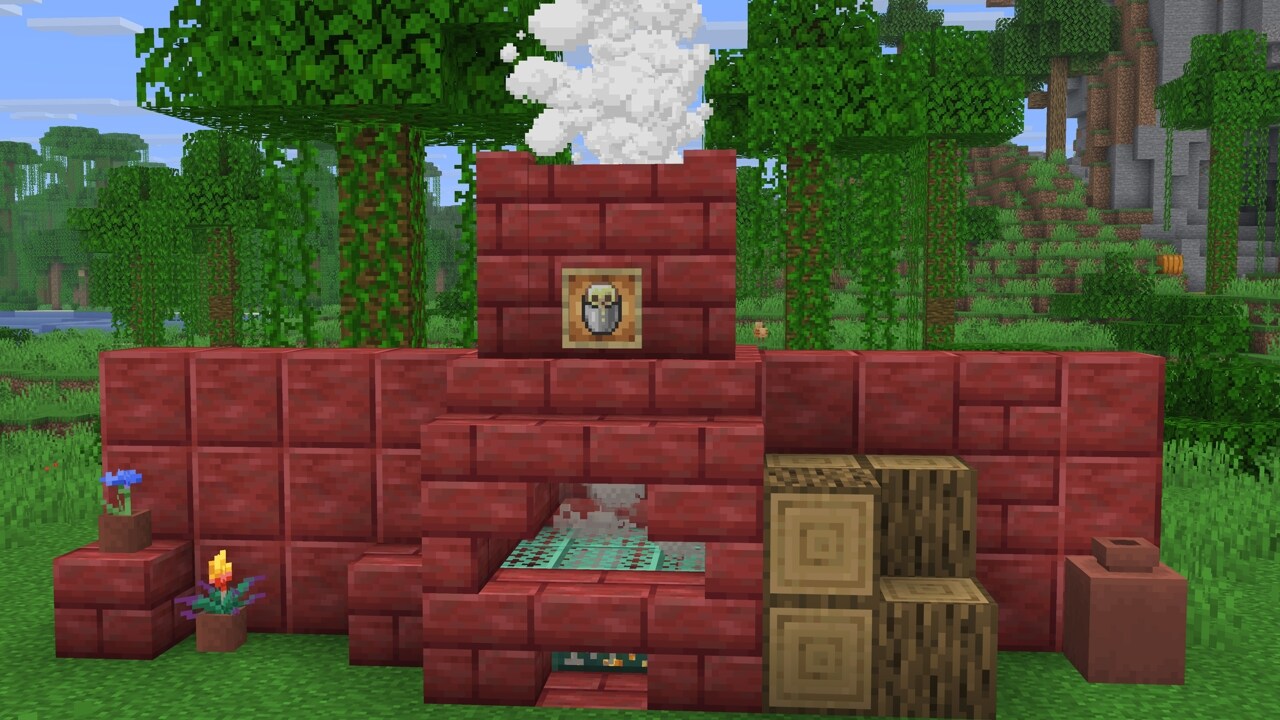
- Added Cinnabar and Sulfur stone block sets
- Each of them has Polished and Bricks variants
- Each variant has its Slabs, Stairs and Walls blocks
- Added Chiseled Cinnabar and Chiseled Sulfur blocks
Potent Sulfur#
- Is a new block that generates naturally in Water Pools inside the Sulfur Caves biome
- Produces bubbles which rise up to 4 Water source blocks above it
- When placed underneath up to 4 Water source blocks, it generates a cloud of nausea-causing gas on the water surface
- This cloud spreads across adjacent water with a maximum radius of 3 blocks
- Can be crafted from 9 Sulfur blocks
- When placed above a Magma Block or a Lava Block, and under 1-4 Water source blocks, it creates a geyser
- With Magma underneath, the geyser will erupt at random intervals, shooting a plume of water particles upwards and applying an upward impulse to entities above it
- With Lava underneath, the geyser eruption is continuous, but with slightly muted sounds compared to the eruption from a Magma Block
- Geyser eruptions emit game events at the beginning and at the end of the eruption that can be detected by Sculk Sensors
Sulfur Spike#
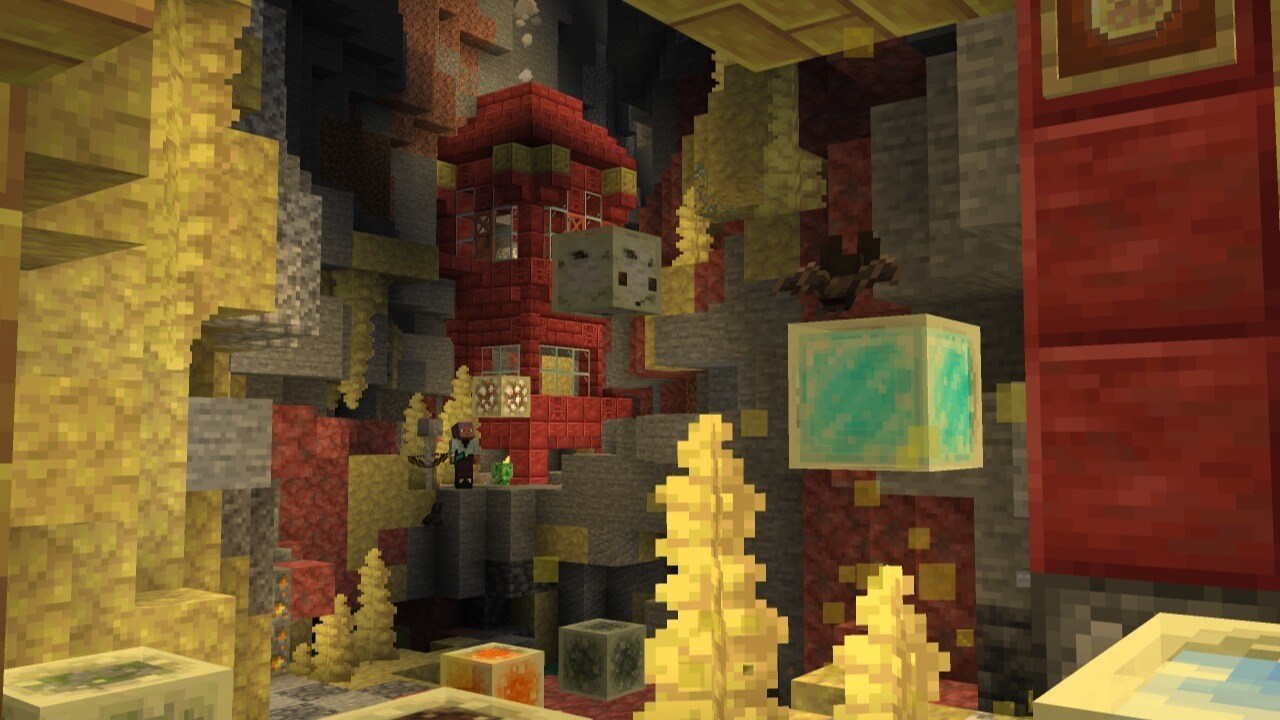
- Is a new block that generates naturally on Sulfur blocks inside the Sulfur Caves biome
- Forms a stalactite if placed on the ceiling or a stalagmite if placed on the floor
- Can be combined to form longer stalactites & stalagmites
- Stalactites and stalagmites merge if the tips are next to each other, unless you sneak while placing
- Sulfur Spike stalactites can grow when placed under a Sulfur block
- Stalagmites will break if they're not attached to something below
- Stalactites fall down if not attached to something above
- Being hit by a falling stalactite hurts because they are sharp!
- Stalagmites are not sharp and do not hurt more to land on
- Thrown Tridents break Sulfur Spikes
- Four Sulfur Spikes can be crafted into one Sulfur
Music and Sound#
- Added a new music disc:
- "Bounce" by fingerspit
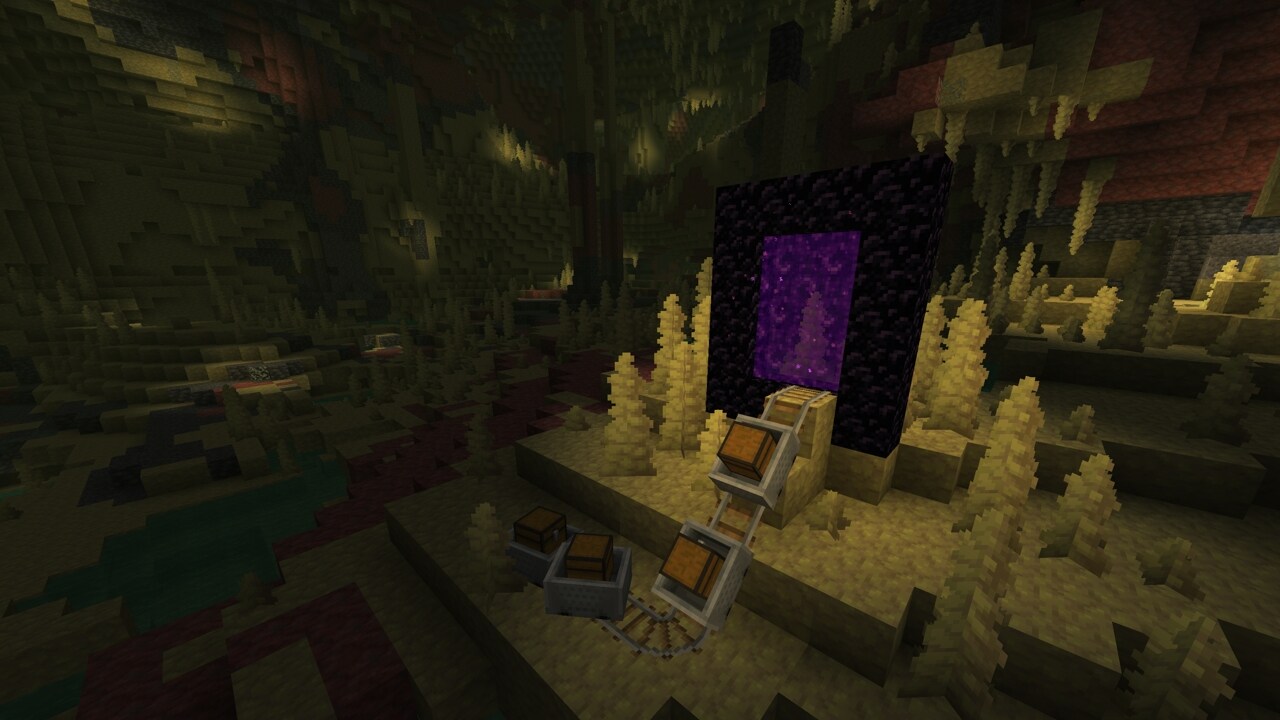
- Has a chance of being found in Mineshaft Chest Minecarts that are located in a Sulfur Caves biome
- Has a comparator output of 8 when played in a Jukebox
- "Bounce" by fingerspit
- Added 5 new background music tracks by fingerspit:
- "Shores"
- "Memories"
- "Nightly"
- "Home"
- "Ebb"
- Added block sounds for Sulfur, Potent Sulfur, and Cinnabar
- Added mob sounds for Sulfur Cube and small Sulfur Cube
- Added sounds for when using a bucket on a Sulfur Cube
- Added sounds for geyser eruptions
Advancements#
- Added new "Uh Oh" Husbandry advancement for having a Sulfur Cube absorb a TNT block
Friends List#
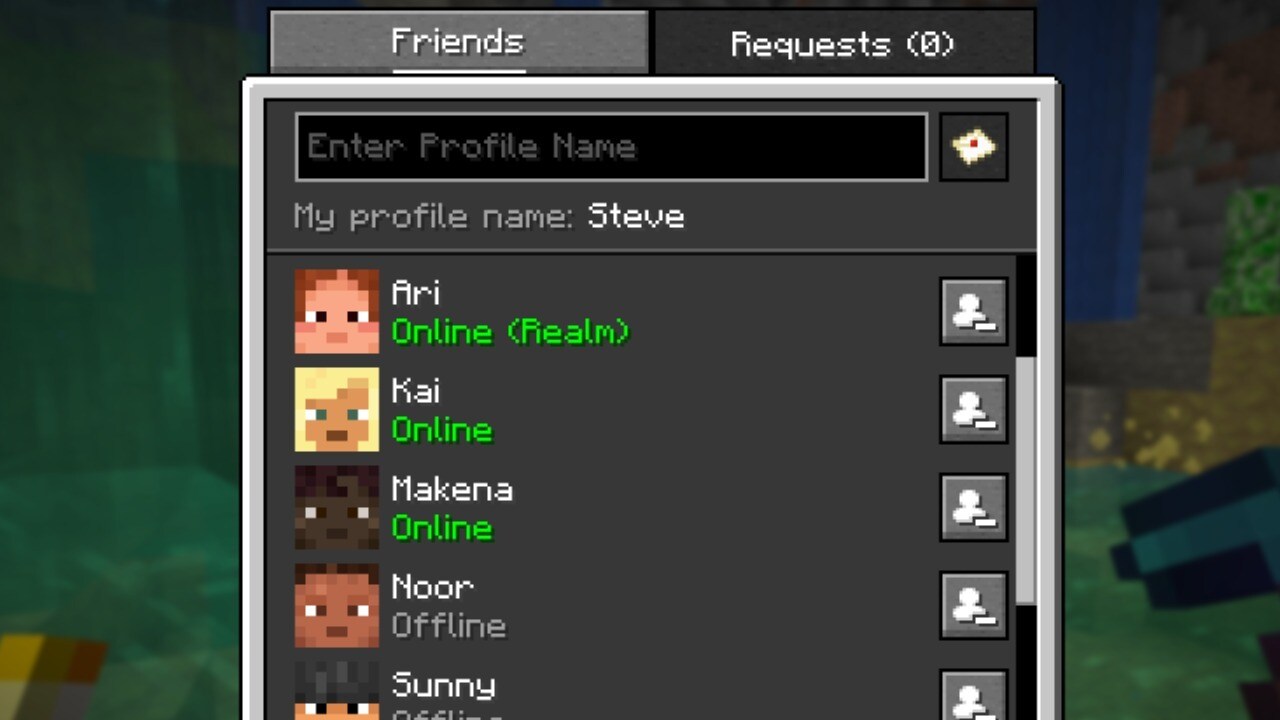
- Added a Friends List, accessible from a new Friends button on the Title Screen and the Pause Menu
- The Friends List can be opened with a new key bind (default: "O")
- The Friends button shows a notification badge with the number of incoming friend requests, up to 5 (a "more" indicator is shown beyond that)
- The Friends List is presented as an overlay with two tabs:
- Friends: shows your current friends, lets you remove them, and lets you send a new friend request by Profile Name
- Pending: shows incoming friend requests (which can be accepted or declined) and outgoing friend requests (which can be canceled)
- The presence of your friends is shown under their name in the Friends List as one of the following:
- "Offline"
- "Online"
- "Online (LAN)"
- "Online (World)"
- "Online (Realm)"
- "Online (Server)"
- Sending, accepting, declining, cancelling, and removing actions are confirmed in the UI and show a clear error message when the service is unreachable, rate limited, or the requested Profile Name does not exist
- Friend changes that happen while the game is running are shown through toast notifications:
- When a friend request is sent
- When a friend request is received
- When an outgoing friend request is accepted by the other player
- Toasts show the other player's face when the skin is available
- The Friends List checks for updates once per minute while the Friends List is open, or every 5 minutes otherwise
- The first time the Friends button is shown on the Title Screen, a confirmation dialog is presented to opt in to the Friends List
- The Friends List, friend request privacy, and the Microsoft account safety settings link are managed from the new "Friends List" section in Online Options
- Players that have their chat settings set to "Friends Only" on their Xbox profile will only see chat messages from other players if they are friends
Friends List Settings in Online Options#
- Added a setting to control the availability of the Friends List and its features in Online Options
- Added an "In-Game Notification" toggle in Online Options to control whether Friends List toasts appear while in a world
- Added an "Allow Requests" toggle in Online Options to control whether other players can send you friend requests
- Added a "Visibility" option in Online Options screen to control how much activity is shared with friends (default: "All")
- "Full": shares in-game activity
- "Hidden": no activity shared, appearing as "Offline" to friends
- "Limited": activity sharing limited to "Online" & "Offline"
- Added an "Xbox Settings..." button in Online Options that opens the Microsoft account privacy and online safety settings
Vulkan Support#
- As previously announced, we intend to switch the game from OpenGL to Vulkan
- Vulkan is not supported by older hardware or drivers - OpenGL will be used as a fallback on those cases
- The current requirement is Vulkan 1.2 with dynamic rendering and push descriptors, but this requirement may increase or decrease over time
- This is currently an experimental rendering backend, and may not be as performant or stable
- Please report any bugs you find with it to our bug tracker
- Under Vulkan, we will prefer your dedicated graphics card over any integrated graphics, which is a change from OpenGL
- You can see which backend is being used in your F3 debug overlay (in the
system_specssection) - On macOS, we use MoltenVK to translate Vulkan to Metal
"Graphics API" Video Setting#
- This is a new option available in the "Video Settings"
- There are three values: Default, Prefer Vulkan (Experimental) and Prefer OpenGL
- "Default" may be changed at our discretion, and we recommend this for all users unless you experience issues and need to change
- Currently, it is the same as "Prefer OpenGL"
- "Prefer Vulkan (Experimental)" will attempt to render using Vulkan, but fall back to OpenGL if it doesn't work
- Vulkan support is experimental for now, and using it might reduce performance or cause instability on some systems
- "Prefer OpenGL" will attempt to render using OpenGL, but fall back to Vulkan if it doesn't work
Startup and Fallback Behavior#
- If the game crashes at startup with "Prefer Vulkan (Experimental)" set, the setting will automatically be changed to "Default"
- When set to "Default", the game will still attempt to gather systems information about Vulkan at startup
- If the game crashes at startup with "Default" set, the setting will automatically be changed to "Prefer OpenGL"
- With "Prefer OpenGL" set, no interaction will be made with Vulkan in case that causes crashes
Changes#
- Tweaked various mobs hitbox, eye height, and rider positions
- Hoglins are now considered hostile and do not spawn on Peaceful difficulty
- Fixed baby Hoglin's and Zoglin's left ear texture so it's properly mirrored
- Updated the Main Menu background panorama
- When the game is overwhelmed with particles, instead of removing existing particles in flight, it will now randomly select for particles to render or not render to stay under the particle limit
- This change is especially visible with a large number of new geyser eruptions
- As the host of a world, changing the game mode with F3 + F4 or with commands changes the default game mode of the world
- Upgrading certain worlds from before 26.1 can now be faster
- Respawning (as a spectator) in a hardcore world no longer turns off the
spectators_generate_chunksgame rule - Removed Touchscreen Mode
Developer's Note: Touchscreen mode has been poorly implemented and not properly supported for a long time. We are removing this feature in this release. To provide your feedback on this topic, head over to the feedback site.
Minor Tweaks to Blocks, Items and Entities#
- Beds are now slightly more bouncy to match Bedrock
- When an entity bounces off of a block or other collidable entity, it emits a vibration of frequency 2
Developer's Note: We have tweaked how Beds and Slime Blocks restitute entity velocity after collisions. For instance, when air drag is removed via the entity attribute, Slime Blocks will now correctly bounce Mobs indefinitely. This may affect player perception of the bounciness of Beds and Slime Blocks.
Sounds#
- Updated sounds for Nautilus jets and Nautilus recovers
- Updated hurt and death sounds for one of the Chicken's sound variants
UI#
- Added a Friends button to the Title Screen and the Pause Menu
- The tooltip for the "Exclusive Fullscreen" video setting now mentions that Adaptive Sync (Nvidia G-Sync, AMD FreeSync) should work when it is enabled and will not work when it is disabled
World Options Screen#
- The host of a world now has access to the "Game Mode" and "Allow Commands" buttons in the World Options screen
- These buttons are not available in Hardcore
Open to LAN Screen#
- The host of a world can now configure the "Game Mode" and "Allow Commands" values for other players in your world (separate from themselves)
- These buttons are available under a "Settings for Other Players" header in the Open to LAN screen
Technical Changes#
- The Data Pack version is now 107.1
- The Resource Pack version is now 88.0
- Profiling the game with Tracy (launching with
--tracy) now includes GPU timings - Rendering now uses a reversed depth buffer, which helps with Z-fighting on most hardware
- The
fpsF3 screen entry will now report which type of present mode is used (e.g.mailboxorfifo relaxed), as opposed to justvsync - The now includes the counts of different particle groups ( for , for , for and for ), as well as the total
Server Properties#
- Added
chat-spam-threshold-secondsandcommand-spam-threshold-secondsproperties, separating the spam thresholds for chat vs commands- Both thresholds are set to 10 by default, which was the existing threshold for combined command+chat spam
- These thresholds configure the mechanism that automatically kicks players for sending too many chat messages or commands
- The value describes how many seconds worth of spamming a player must do to get kicked, where each message a player sends increases the counter by 1 second
- The counter is decremented once per tick (equivalent to 1/20th of a second), and a player is kicked if their counter reaches the configured threshold
- Either threshold can be set to 0 to disable kicks for the associated type of spam
- Examples of message rates that would cause a kick, given the default threshold of 10:
- Sending 11 messages in 1 second
- Sending 14 messages in 2 seconds
- Sending 21 messages in 10 seconds
Minecraft Server Management Protocol 3.0.0#
- The management server now starts before the Minecraft server starts
- Most notably, this means the heartbeat will be sent while the world is loading and potentially upgrading
- The
rpc.discoverandnotification/server/statusmethods are now accessible before the dedicated server spins up- The server will return an error when other methods are called during this time
Telemetry#
New Property in World Events#
server_session_ida unique identifier for a multiplayer session, shared across all players in that session- A "session" is defined as a continuous period where at least one player was in the server
- This property is required and not affected by the opt-in setting
New Required Events#
graphics_capabilities- This is a new event that posts on startup, and informs us of the capabilities of the graphics device used to play the game
- Added new property:
backend_name- This will be
VulkanorOpenGL, and will help us understand which Graphics API players are using
- This will be
- Added new property:
backend_failure_reason- This will be a list of short error codes, for example , which will help us identify any issues with our targeted Vulkan requirements
Data Pack Version 107.1#
Sulfur Cube Archetype Registry#
Added data-driven minecraft:sulfur_cube_archetype registry. Elements are loaded from data/<namespace>/sulfur_cube_archetype/<path>.json.
Entry format: Object with fields:
items- item tag that contains all items that can be fed to Sulfur Cubes of this archetypebuoyant- boolean indicating if the Sulfur Cube of this archetype floats in liquidsexplosion- an optional field, if present, the Sulfur Cube of this archetype will explode:fuse- positive integer, the fuse time when ignitedpower- non-negative integer, the explosion power- - boolean, whether the explosion causes fire
Commands#
- When granting or revoking several advancements, the command output will now report how many advancements changed state across all players
- When granting or revoking advancements or a criterion on several players, the command output will now report the number of players that any change applied to
- Team color arguments (used in
team modify [name] colorandwaypoint modify [name] color) now accept only lowercase names with underscores- e.g. only
dark_purpleis accepted and notdarkpurpleorDarkPurple
- e.g. only
Added unpublish#
- Allows to unpublish the integrated server if there is one present
Attributes#
Added minecraft:bounciness#
- Determines what portion of the velocity is restituted after the entity collides with blocks and collidable entities
- When landing on bouncy blocks, like Beds and Slime Blocks, the higher bounciness (of the block or the entity) is applied
- Accepts values between
0.0and1.0 - Default value:
0.0- no velocity is restituted - Maximum value:
1.0- full velocity is restituted, collisions with blocks and collidable entities will have no effect on lowering the velocity
Added minecraft:friction_modifier#
- Determines how much ground friction is applied to the entity in regard to the block it is on
- Accepts values between
0.0and2048.0 - Default value:
1.0- friction of blocks is not modified - Minimum value:
0.0- friction of blocks is reduced to zero - Values higher than
1.0increase the friction applied to the entity from the blocks it is on
Added minecraft:air_drag_modifier#
- Determines how much drag is applied to an entity while in the air
- Accepts values between
0.0and2048.0 - Default value:
1.0- the entity uses existing drag when moving in the air - Minimum value:
0.0- no drag is applied to the entity - Values higher than
1.0increase the drag applied to the entity when moving through the air
Added minecraft:name_tag_distance#
- Controls how far away in blocks the name tag of an entity is visible
- The name cannot be visible if the entity is not visible
- Accepts values between
0.0and512.0 - Default value:
64.0
Added minecraft:below_name_distance#
- Controls how far away in blocks the
below_namescoreboard display is visible - The display cannot be visible if the entity is not visible
- Accepts values between
0.0and512.0 - Default value:
10.0
Changes to minecraft:knockback_resistance#
- The minimum value was changed from
0.0to-2.0
Data Components#
Added minecraft:sulfur_cube_content#
- Represents the item that is absorbed by the Sulfur Cube
- Format: item that is absorbed by the Sulfur Cube
- e.g.
minecraft:sulfur_cube_content=green_wool
- e.g.
Entity Data#
- Removed the
HurtByTimestamptag from Living Entities,ticks_since_last_hurt_by_mobshould be used instead
Block Entity Data#
- The
minecraft:bedblock entity has been removed
Damage Types#
- Added a new
minecraft:sulfur_cube_hotdamage type
Predicates#
Entity Predicates#
Entity predicate format has changed from a structure with multiple optional fields to one similar to data component maps.
For example: previously, effects was an optional field:
{
    "effects": {...}
}
In this version it has become a component-like sub-predicate entry:
{
    "minecraft:effects": {...}
}
The main functional changes are:
- All keys in entity predicates are now namespaced IDs
- Since namespaced IDs can be written without a namespace (defaulting to the
minecraftnamespace), existing field names are still valid - Exception: the field
typehas been renamed tominecraft:entity_type
- Since namespaced IDs can be written without a namespace (defaulting to the
- Unrecognized sub-predicate components are now rejected (previously, unknown fields were ignored)
Existing type-specific sub-predicates have been renamed and moved to top-level.
minecraft:lightningtominecraft:type_specific/lightningminecraft:fishing_hooktominecraft:type_specific/fishing_hookminecraft:playerto
For example:
{
  "type_specific": {
    "type": "minecraft:player",
    "looking_at": {
      "type": "minecraft:ender_dragon"
    }
  }
}
becomes
{
  "minecraft:type_specific/player": {
    "looking_at": {
      "minecraft:type": "minecraft:ender_dragon"
    }
  }
}
Added minecraft:entity_tags entity sub-predicate#
This predicate matches entity tags (i.e. ones set with the /tag command).
Fields:
any_of- optional list of strings, if present the matched entity must have at least one of the listed tagsall_of- optional list of strings, if present the matched entity must have all the listed tagsnone_of- optional list of strings, if present the matched entity must have none of the listed tags
World Generation#
- Added
matching_biomesworld generation-type block predicate type which checks if the block position matches one of the specified biomes- Format: object with fields:
biomes- biome ID, list of biome IDs, or hash-prefixed biome tag: the biomes to match
- Format: object with fields:
treefeature configuration'sbelow_trunk_providerblock state provider no longer has a default value
Surface Rules#
Changes to noise_threshold Condition#
- Added new
is_3dfield - boolean, true if the noise should be evaluated in 3D- If not specified, defaults to
false
- If not specified, defaults to
Dimension Types#
- The field
infiniburnnow also accepts an ID and a list of IDs in addition to a tag
Configured Features#
Added minecraft:sequence Feature Type#
Generates a list of Placed Features in order. If any feature in the list is not placed, the following features will also be skipped.
Format: object with fields:
features- list of Placed Features or hash-prefixed Placed Feature tag, the features to generate
Added minecraft:template Feature Type#
Places one template randomly chosen from the given weighted list of namespaced IDs. By default, the template will be spawned randomly rotated, centered around the origin.
Format: object with fields:
templates- weighted list of structure template entries. Each structure template entry is composed of a namespaced ID and a list of rotations to randomly choose fromid- The template's namespaced IDrotations- Optional list of rotations to choose from and apply to this template if it is picked- Allowed values:
none,clockwise_90,,
- Allowed values:
Added minecraft:weighted_random_selector Feature Type#
Randomly selects one of the given features to generate based on their weights.
Format: object with fields:
features- list of Placed Features and their weights
Changes to minecraft:pointed_dripstone#
- Renamed Feature Type
pointed_dripstonetospeleothem - Added field
base_block- block state, describes the block forming the base of the speleothem - Added field
pointed_block- block state, describes the block creating the columns of the speleothem - Added field
replaceable_blocks- block ID, list of block IDs, or hash-prefixed block tag describing which blocks this feature can generate on - Renamed field to
Changes to minecraft:dripstone_cluster#
- Renamed Feature Type
dripstone_clustertospeleothem_cluster - Added field
base_block- block state, describes the block forming the base of the speleothem - Added field
pointed_block- block state, describes the block creating the columns of the speleothem - Added field
replaceable_blocks- block ID, list of block IDs, or hash-prefixed block tag describing which blocks this feature can generate on - Renamed field to
Changes to minecraft:large_dripstone#
- Added field
replaceable_blocks- block ID, list of block IDs, or hash-prefixed block tag describing which blocks this feature can generate on - The maximum allowed value for
column_radiushas been reduced from 19 to 16 to prevent features from reaching beyond neighboring chunks - Wind offset is now clamped to ensure the full dripstone (radius + wind) stays within neighboring chunk bounds
Changes to minecraft:lake#
- Added field
can_place_feature- block predicate, describes which blocks this feature can be placed on - Added field
can_replace_with_air_or_fluid- block predicate, describes which blocks this feature can replace with air or the providedfluidblock - Added field
can_replace_with_barrier- block predicate, describes which blocks this feature can replace with the providedbarrierblock
Changes to minecraft:geode#
- The fields
cannot_replaceandinvalid_blocksin theblockssection of the feature configuration now also accept an ID and a list of IDs in addition to a tag
Changes to minecraft:root_system#
- The field
root_replaceablein the feature configuration now also accepts an ID or a list of IDs in addition to a tag - New field
level_test_distanceindicating how far away from the origin the root system will check the existing terrain - New field
max_level_deviationindicating how far the ground level can deviate from the original ground level at these test positions
Changes to minecraft:vegetation_patch#
- The field
replaceablein the feature configuration now also accepts an ID and a list of IDs in addition to a tag
Changes to minecraft:waterlogged_vegetation_patch#
- The field
replaceablein the feature configuration now also accepts an ID and a list of IDs in addition to a tag
Changes to minecraft:multiface_growth#
- Field
blockis now mandatory (defaulted tominecraft:grow_lichen)
Structure Processors#
Changes to minecraft:block_rot#
- Now evaluates the block state produced by previous block processors in the chain, instead of always using the original block defined in the structure
- The first processor in the chain still always evaluates against the original structure-defined block
minecraft:protected_blocks#
- The field
valuenow also accepts an ID or a list of IDs in addition to a tag
Density Functions#
Added minecraft:interval_select#
Selects between a number of Density Functions based on an input Density Function and a set of threshold values.
Format: object with fields:
input- Density Function, the value to be compared with any giventhresholdsthresholds- non-empty list of floats, the threshold values to compareinputwith- If
input < thresholds[i], the result of will be selected
- If
Removed minecraft:weird_scaled_sampler#
- This Density Function has been removed, with its functionality replaced by
interval_select - When
rarity_value_mapperwastype_1, equivalent to:interval_selectwith thresholds-0.75, -0.5, 0.5,
Tags#
Block Tags#
- Added
#suppresses_bounce- all blocks that suppress the bounciness of entities when colliding with them - Added
#causes_periodic_geyser_eruptions- all blocks that cause periodic eruptions of Potent Sulfur blocks - Added
#causes_continuous_geyser_eruptions- all blocks that cause continuous eruptions of Potent Sulfur blocks - Added
#glazed_terracottaandcollection tags
Item Tags#
- Added
#glazed_terracotta,#concrete, and#concrete_powderscollection tags - Added
#sulfur_cube_food- all items that can be fed to a small Sulfur Cube - Added
#sulfur_cube_swallowable- all items that can be placed inside a large Sulfur Cube
Damage Type Tags#
- Added
minecraft:sulfur_cube_with_block_immune_to- all damage types that Sulfur Cubes are immune to when having a block absorbed
Entity Tags#
- Added
#not_affected_by_geysers- entities that are not affected by the upward impulse applied by geyser eruptions
Game Events#
Added minecraft:bounce#
- Emitted when an entity collides with a block or a collidable entity with non-zero bounciness
- Has a vibration frequency of
2
Particles#
Added minecraft:sulfur_cube_goo#
- This particle is showing on a Sulfur Cube mob when hopping around
- Has no fields
Added minecraft:geyser_base#
- Spawns as a cloud on the base of an erupting Potent Sulfur block
- Format: object with fields:
water_blocks- positive integer, scales the particle size and its burst impulseburst_impulse_base- float, scales the initial burst impulse
Added minecraft:geyser_poof#
- Spawns as a cloud on the base of an erupting Potent Sulfur block
- Format: object with fields:
water_blocks- positive integer, scales the particle size and its burst impulseburst_impulse_base- float, scales the initial burst impulse
Added minecraft:geyser_plume#
- Spawns as an upwards stream above an erupting Potent Sulfur block
- Format: object with fields:
water_blocks- positive integer, scales the particle size and its burst impulse
Added minecraft:geyser#
- An emitter particle that spawns the
geyser_base,geyser_poof, andgeyser_plumeparticles above an erupting Potent Sulfur block - Format: object with fields:
water_blocks- positive integer, scales the particle size and its burst impulse
Game Test Environments#
Added minecraft:difficulty#
- Sets the difficulty of the game test environment
- Format: object with fields:
difficulty- the difficulty ID to set, one ofpeaceful,easy,normal,hard
World Presets#
- Added a new
minecraft:flat_all_dimensionsworld preset- This preset does not show up by default in the Create New World screen
Resource Pack Version 88.0#
- Beds, Signs, and Hanging Signs now use block models instead of built-in entity models
- The text on Signs and Hanging Signs cannot be configured yet
- The
minecraft:bedsatlas has been removed - The
minecraft:signsatlas has been removed
Block Sprites#
- Added new Block textures:
block/chiseled_cinnabar.pngblock/chiseled_sulfur.pngblock/cinnabar.pngblock/cinnabar_bricks.pngblock/polished_cinnabar.png
Item Sprites#
- Added new Item sprites:
item/sulfur_cube_bucket.pngitem/sulfur_spike.pngitem/music_disc_bounce.png
UI Sprites#
- Added new textures for the Sign edit screen background, replacing
<wood_type>with the sign's wood type (e.g.mangrove):gui/sign/<wood_type>.png
- Added new UI sprites:
gui/sprites/friends/accept.png
Entity Textures#
- Added new Entity textures:
entity/sulfur_cube/sulfur_cube_outer.pngentity/sulfur_cube/sulfur_cube_inner.pngentity/sulfur_cube/sulfur_cube_outer_small.pngentity/sulfur_cube/sulfur_cube_inner_small.png
Sounds#
- Added sounds for the Sulfur Block:
block.sulfur.breakblock.sulfur.hitblock.sulfur.placeblock.sulfur.stepblock.sulfur.fall
- Added sounds for the Potent Sulfur Block:
block.potent_sulfur.break
Particles#
- Added new Particle textures:
particle/noxious_gas_01.pngparticle/noxious_gas_02.pngparticle/noxious_gas_03.pngparticle/noxious_gas_04.pngparticle/noxious_gas_05.png
Item Models#
- The following special model types have been removed:
minecraft:bedminecraft:standing_signminecraft:hanging_sign
Shaders & Post-process Effects#
- The
core/rendertype_text,core/rendertype_text_see_through,core/rendertype_text_intensity,core/rendertype_text_intensity_see_through,core/rendertype_text_background, and shaders have been replaced by and
Fixed bugs in 26.2#
- MC-1788 - Ocelots do not spawn naturally on Peaceful difficulty in jungles and bamboo jungles
- MC-123068 - The number of advancements said to be revoked from the player is incorrect
- MC-134349 - Making a zoomed-out version of a map fails when using the "Pick Block" key
- MC-174630 - The secondary beacon effect remains when switching the primary effect
- MC-186131 - Piglins and hoglins cannot spawn naturally on Peaceful difficulty
- MC-190728 - The side and bottom surfaces of waterlogged blocks z-fight when looking at them from a distance
- MC-223248 - Spore blossom particles gradually disappear/lessen until the world is reloaded
- MC-229057 - Picking up an axolotl with a lead attached destroys the lead
- MC-236770 - The "Ambient" and "Axolotl" mob caps both display as "A" in the debug overlay
- MC-248758 - Logged error:
Detected setBlock in a far chunk - MC-252814 - The
clampdensity function takes a direct input and doesn't allow a reference - MC-268008 - Players' sneaking state can sometimes desync
- MC-269520 - The game freezes when using /locate in a world without structures enabled
- - "ID" is not capitalized in some strings